-
Highlights
-
-
OEM Solutions
-
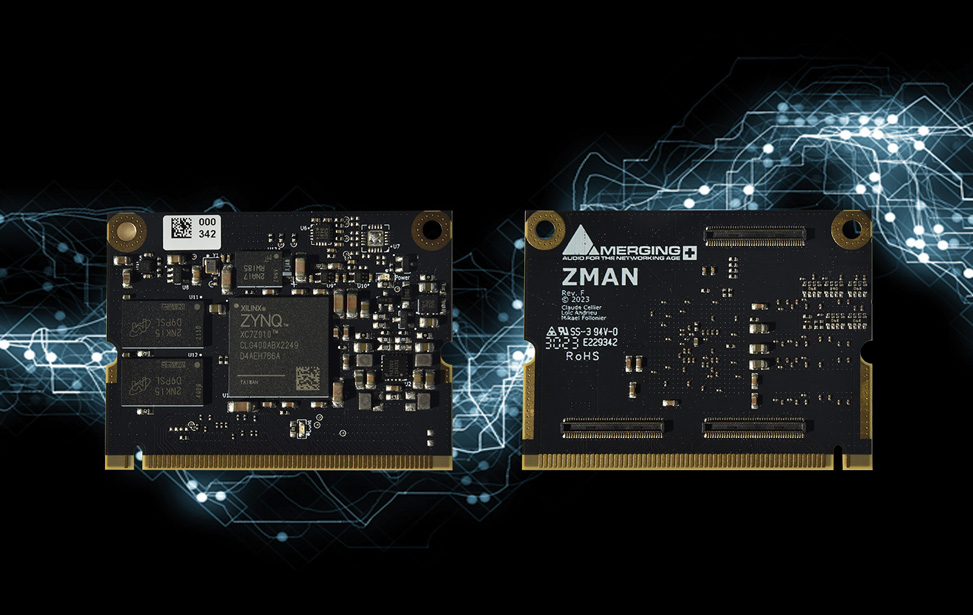

Studio Technologies Enhances ST 2110 Integration With Merging’s ZMAN Module
- November 25th 2024

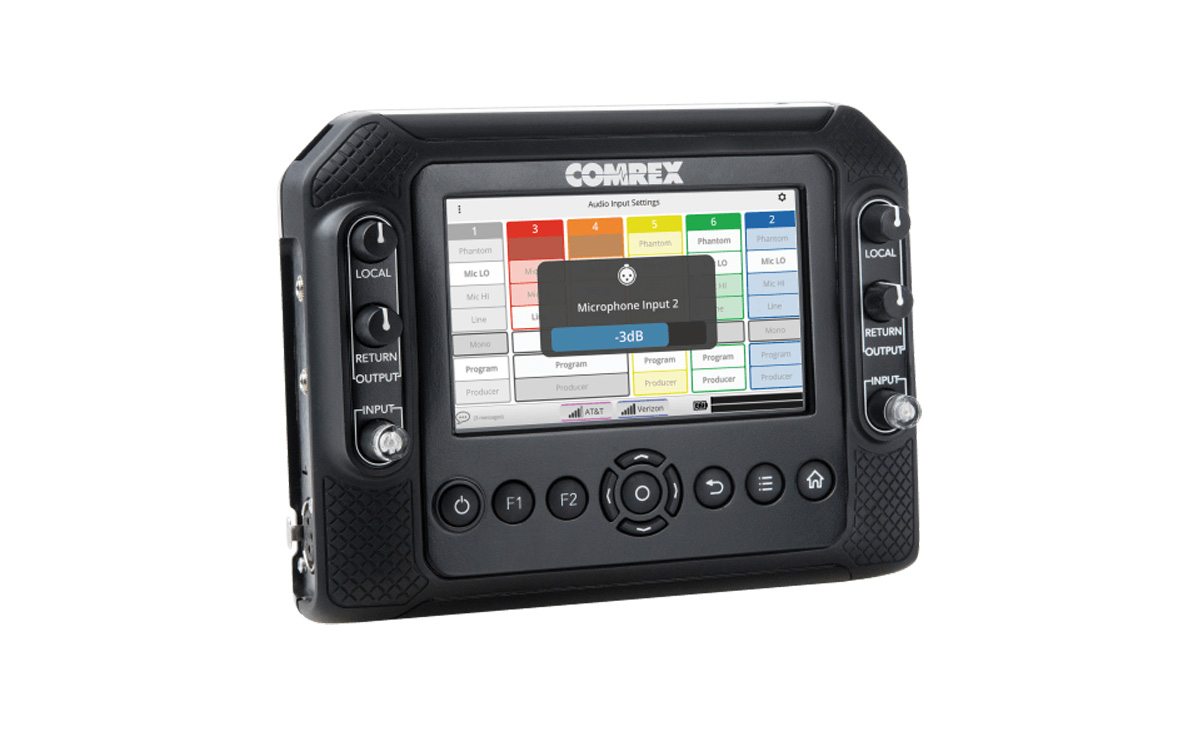
Comrex meets AES67 demands with a solution from Merging Technologies
- October 15th 2024
-
-
News
-

Mark Fawcett
- Fish Need Snorkels, UK

Ayato Kurashima
- King Records, Japan


Instagram - @flockaudio
- July 17th 2025
Instagram - @nightrise_studios
- July 11th 2025
Studio Technologies Enhances ST 2110 Integration With Merging’s ZMAN Module
- November 25th 2024

Free Pyramix or Ovation Elements
with a new purchase of a Merging interface-
No end date currently
Merging Insider
Latest Newsletter
- September 2025
Merging Insider
Previous Newsletter
- August 2025

The Sennheiser Group at IBC 2025
- August 20th 2025
-
-
Sales
-









Milestones
Ovation has made a name for itself in the AV industries for being a tool that can be used in any audio environment, from installation AV to operator driven events, theme parks and spectacles.
With the emergence of new 3D/immersive rendering engines, Ovation brings ground breaking new features to enable complete immersive workflows by integrating with industry leading technology partners such as Flux Spat via OSC ADM.
Ovation 11
Complete UI/UX Overhaul
With Ovation 11, we’ve reimagined the user experience. The interface has been redesigned to feel more fluid, modern, and visually engaging while staying true to the workflows professionals rely on every day. Full 4K graphics support ensures crystal-clear visuals on high-resolution displays, while newly rounded edges and a cleaner layout offer a more inviting, less cluttered working environment.
Menus have been refined to make key functions more accessible than ever. Whether you're editing show properties, cue lists, or individual cues, everything is now easier to find, faster to navigate, and more intuitive to use.
Dark Mode is still front and center — now with subtle enhancements that make long sessions more comfortable and visually consistent, especially when used alongside Pyramix 15’s updated interface.
Ovation 11 isn’t just a visual update, it’s a smarter, more elegant tool for managing even the most complex live productions.

Revamped Mixer - Customisable, Powerful, and Built for Precision
The Ovation 11 mixer has been completely reengineered, following the same modernisation introduced in Pyramix 15. It now offers a fully customisable environment—allowing you to tailor bus layouts, channel strips, and aux sends to suit the exact needs of your workflow, from simple playback to complex immersive setups.
Signal flow is now easier to understand at a glance, with enhanced visual clarity and quick-access presets that streamline everyday operations. Key tools such as the primary EQ and dynamics are now visually embedded in the channel strips, giving you immediate access to essential processing without diving into menus.
Whether you're preparing a show, mixing on the fly, or managing multichannel formats, the new mixer delivers clarity, control, and comfort in every detail.

Redesigned Panner
You can now choose between a streamlined single-panel top view or a dual-panel layout that includes both top and rear perspectives—ideal for precise control in spatial or immersive audio workflows.
The layout is cleaner, more responsive, and visually aligned with the rest of the interface. The panner window can also be resized independently of the main Ovation project window, allowing you to adapt it to your screen setup and workflow preferences with ease.


Enhanced Strip & Bus Tools & Optimized Merging VS3 Plugins
All VS3 plugins have been fully redesigned in Ovation 11, bringing expanded functionality and a more modern, intuitive interface. The new version supports up to 32 channels, and we’ve introduced an integrated channel selection UI for quick and easy activation/deactivation.
To streamline your workflow, we’ve added one-click access to your five preferred presets, allowing for faster recall of your go-to settings.
For added flexibility, sidechain support is now fully integrated into all VS3, VST2, and VST3 plugins, whether you’re working in MassCore or Native mode. This makes advanced signal routing and dynamic effects more accessible than ever.


Ovation 10.1
Ovation 10.1 is now available. Unlike other upgrades within the same version number (e.g., from Ovation 8.0 to Ovation 8.1), this update requires new keys for both Native and Masscore users. Please refer to the section below for information on upgrade keys.
Licenses for Ovation 10.1
Ovation 10.1 (and Pyramix 14.1) require a new set of keys. If you are currently under an Annual Software Maintenance (ASM) subscription, updated keys have been sent to your mailbox or to your Merging sales partner (entitling you to a free upgrade). If you are not under ASM, we recommend contacting your sales partner to subscribe to ASM to benefit from the latest version with new improvements and features. If you are using an older version of Ovation, you can upgrade to Ovation 10.1 by combining an ASM subscription with an upgrade.
Ovation 9
New Features and Enhancements
Integration with Flux SPAT
3D engines typically work by sending separate elements to a processor (the renderer) that will “render” all elements into a custom speaker set.
This has the benefit of giving full freedom to the show designer to work with any mixture of:
- Objects (Audio + Metadata)
- Bus based audio (stereo, 5.1, 7.1, 22.2, etc…)
- Scene based audio (Ambisonic, for example)
While Ovation natively offers such powerful 3D rendering engine, Ovation is also able to seamlessly connect to Flux Spat (audio + custom mapped OSC metadata by Merging and Flux).

OSC Protocol (Send/ Receive)
OSC stands for Open Sound Control and is literally this!
This protocol brings the advantage of being simple to read and customize. It doesn’t limit control of a certain set of parameters.
Therefore more and more manufacturers are adopting this standard to allow their devices to be controlled by others or to control other devices.
As the ultimate show sequencer, Ovation 9 is able to orchestrate and receive OSC commands from anywhere.

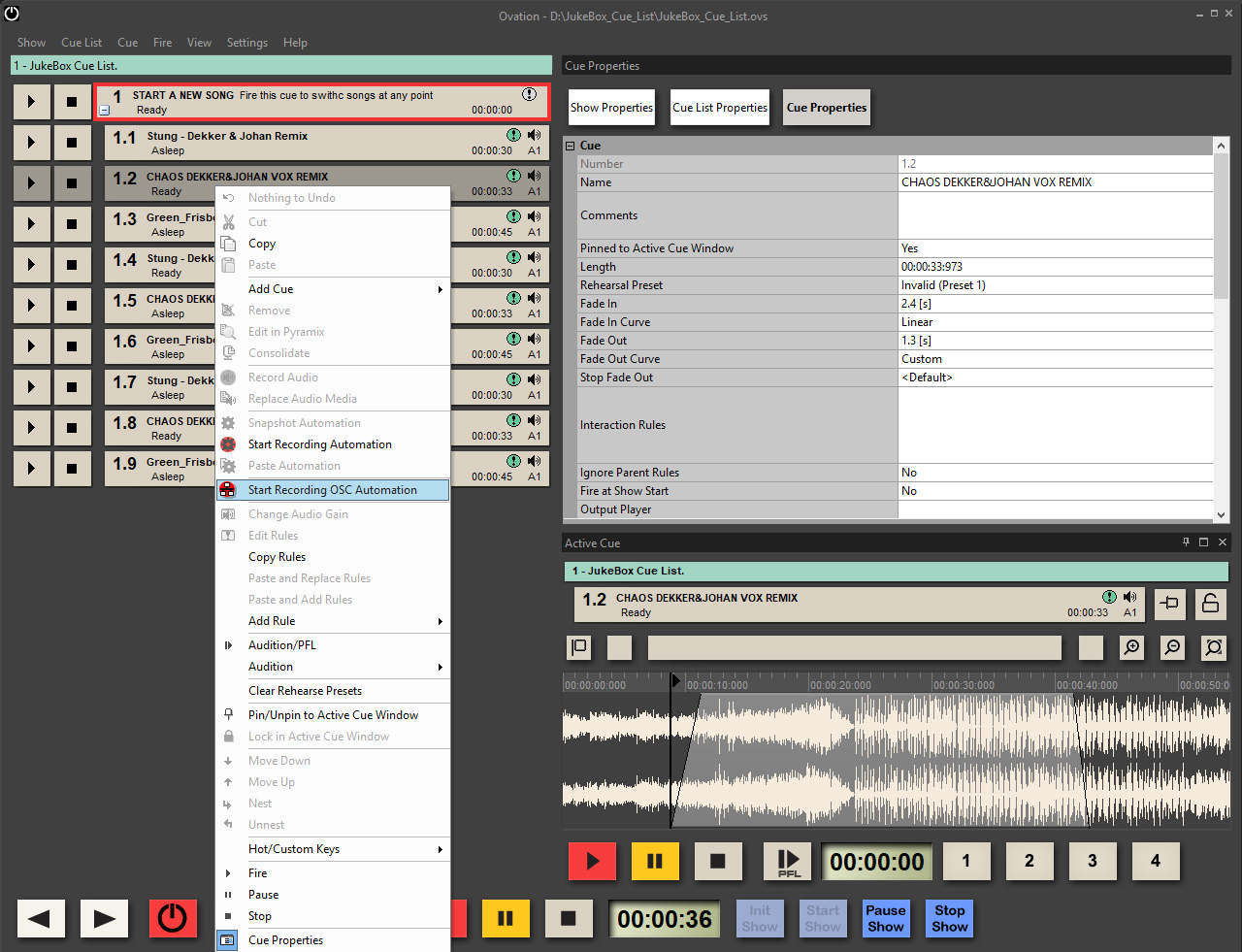
Automation Recording (including OSC!)
Immersive live events also need rehearsals. Imagine turning up at a rehearsal with cues you have prepared and pre panned on your Pyramix ELEMENTS emulating the venue.
You now need to quickly play them and adjust them on the fly as the show requires and as fast as the director demands.
Ovation 9 allows you to record automation on the fly, directly into your cues for lightning fast workflows.
Ovation 8.0
New Features and Enhancements
Complete hybrid Channel Based & Ambisonic workflow
Ovation 8 includes a complete hybrid Channel Based/Ambisonic workflow, allowing for encoding, mixing, rotating and decoding Ambisonic signal directly in the mixing console. Ambisonic Decoders supported up to 7th order in Pyramix v12 and Ovation v8 with the b<>com integration within the Pyramix mixer.
- Ambisonic Strips and Ambisonic Groups of 3rd to 7th order are properly decoded if the VR Pack key is present
- Ambisonic Strips and Ambisonic Groups of 1st and 2nd order are always decoded even if the VR Pack key is not present
- Ambisonic Strips and Ambisonic Groups of 3rd to 7th order are decoded using a 2nd order decoder if the VR Pack key is NOT present

Mixer Improvements
- Bus matrix grid: the General Mixing Bus section of the mixing console can now be operated as a big Matrix Grid.
- New scroll: Added Mouse Wheel support in the mixing console
- Movable elements: VCA Strips and Group Strips can now be moved in the Mixer.
- Routing Presets: Pyramix v12 brings new Save/Load presets available within Mixing Console Routing Page.
- New Predefined Speaker Sets available

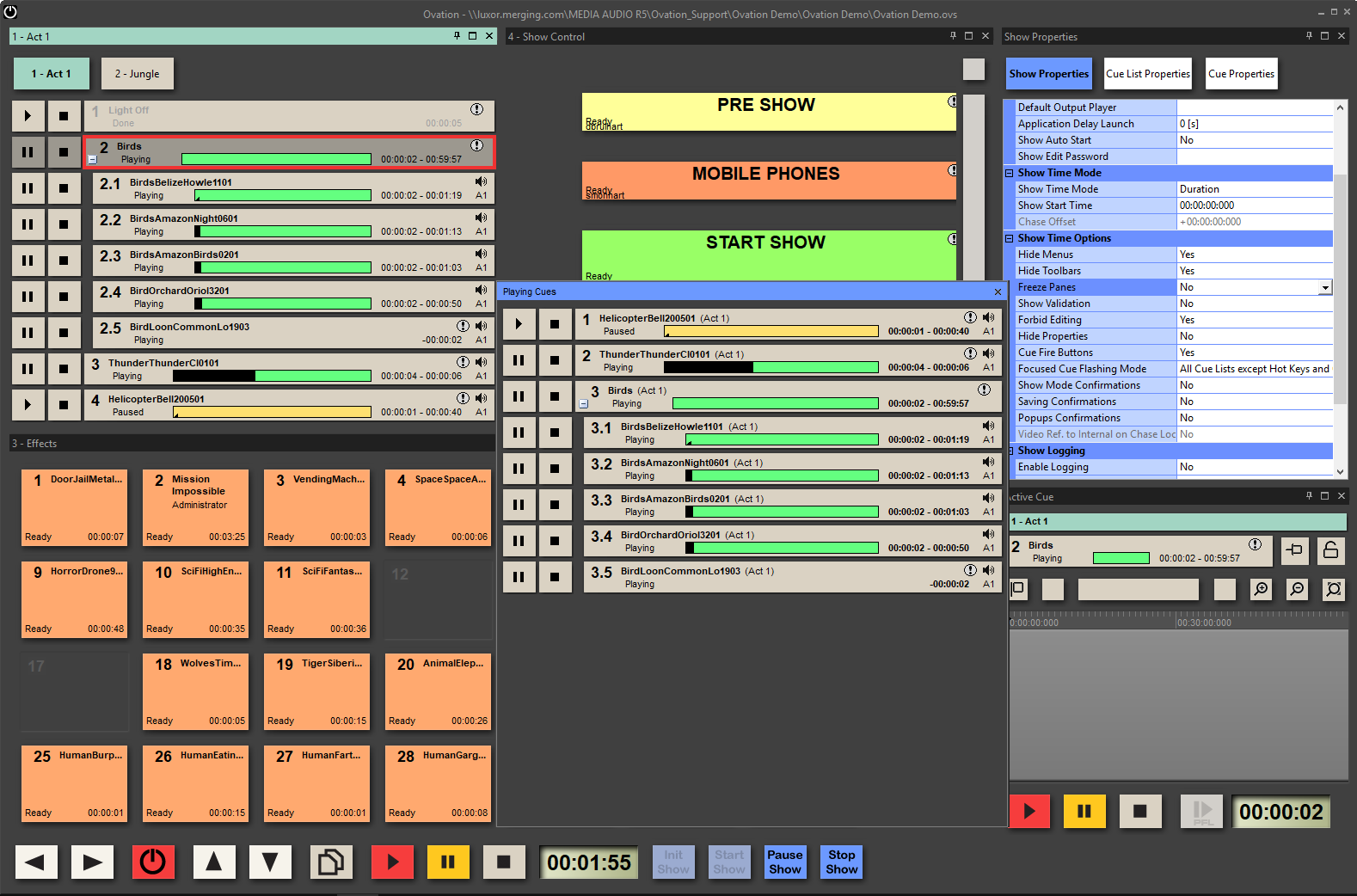
New “Playing Cues” window
New window view displaying a copy of all currently playing cues in the order of their fired time.
Interaction Rule improvement
Additional options are available in the Interaction Rules dialog
New Cues properties and options
Fire at Show Start, Copy/Paste and Replace Rules options and new ”Add Cue Shortcut” function
ANEMAN 1.2
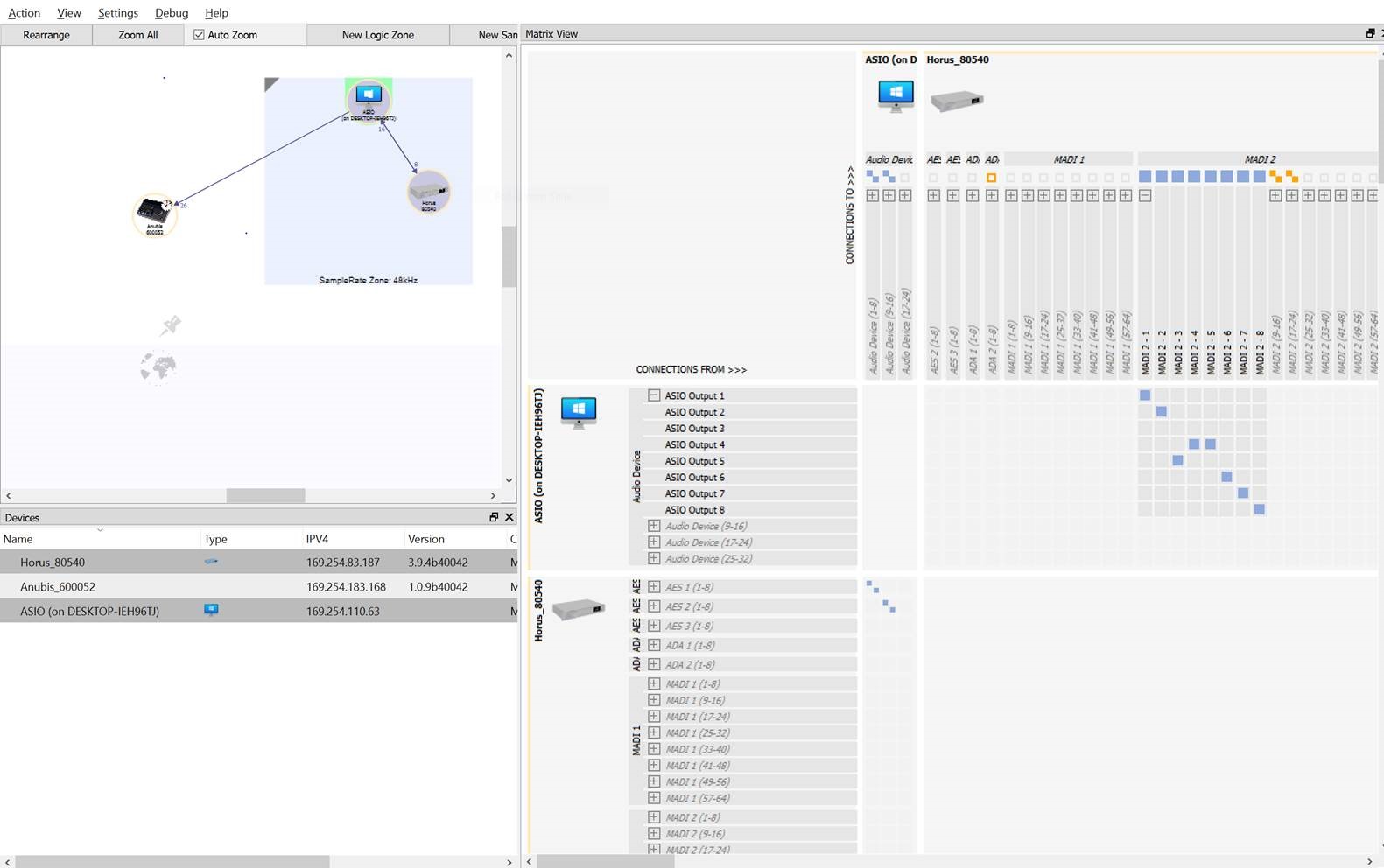
The new ANEMAN 1.2 is mandatory to function with the above Pyramix/Ovation versions within your Horus, Hapi and/or Anubis ecosystem. Be aware that this new version has multicast (purple) AND unicast (blue) connections and you will need to check your ancient connection once this version is installed. For more details on unicast/multicast refer to this page on our knowledge base.
- MERGING+ANUBIS and ZOEM support: Use ANEMAN 1.2 to manage your MERGING+ANUBIS or ZOEM network connections.
- Support for Unicast: To complement ANEMAN’s Multicast support we’ve added the Unicast support in order to connect one source to one destination i.e. One-to-One.
- Discovery and Zone improvements: Better handling of the Devices discovery and Zone management
- New plugins support: Ross devices plugin support
Windows 10 October 2018 Update (1809) Support
This includes the Zombieload updates (Microarchitectural Data Sampling released May 14, 2019)
WARNING: Windows May 2019 Update 1903/19H1 not supported with MassCore
Merging is always eager to support the latest version of the operating system. With our Native and our MassCore versions. Please refer to our Windows 10 Update page on our knowledge base for important information.

Ovation 7.1
New Features and Enhancements
Mixer, VST Hosting now supporting VST3 plugins
Ovation 7.1 is now supporting VST3 plugins:
The VST3 plugins are known for their technological and creative advancements. Users can now benefit from: Improved performance, Resizable edit windows (when the plugin supports it) and multiple dynamic I/O’s as VST3 plugins are no longer limited to a fixed number of inputs and outputs.
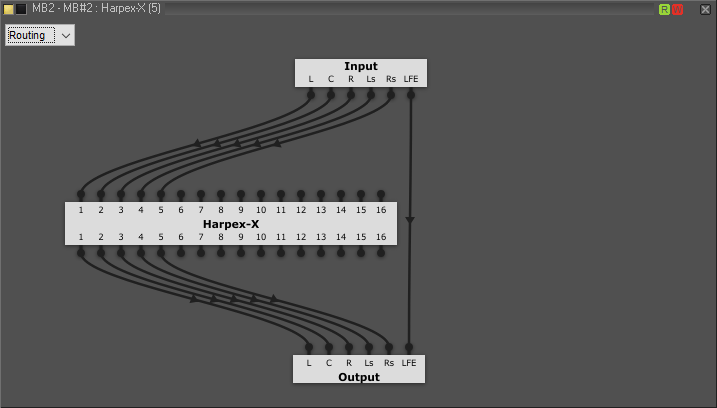
Mixer, VST routing view available in the Plugin user interface
This new feature allows specific multitrack routing within the desired VST and VS3 plugin. This allows e.g. in a 5.1 strip to affect a desired plugin only on Left, Right, LeftSr and RightSr without no effect on Center and LFE channel. The delay compensation is automatically compensated.
Ovation 7.1 supports full Console automation, in addition to former Console Snapshot
The unique ability to edit a multitrack audio cue in Pyramix with one click (without Mixdown) has been enhanced by adding dynamic automation. Until now, static snapshots were already available with a glide (fade) to smoothly change the snapshot.
With Ovation 7.1, you can automate the cue in Pyramix. For example a panning movement in an immersive speaker environment can be corrected, fine-tuned and published as a cue into Ovation with the automation.
A user request has also been integrated; when clicking on an existing automated cue, it will show once the current snapshot TAB selected, and the actual automated parameters of that particular cue.
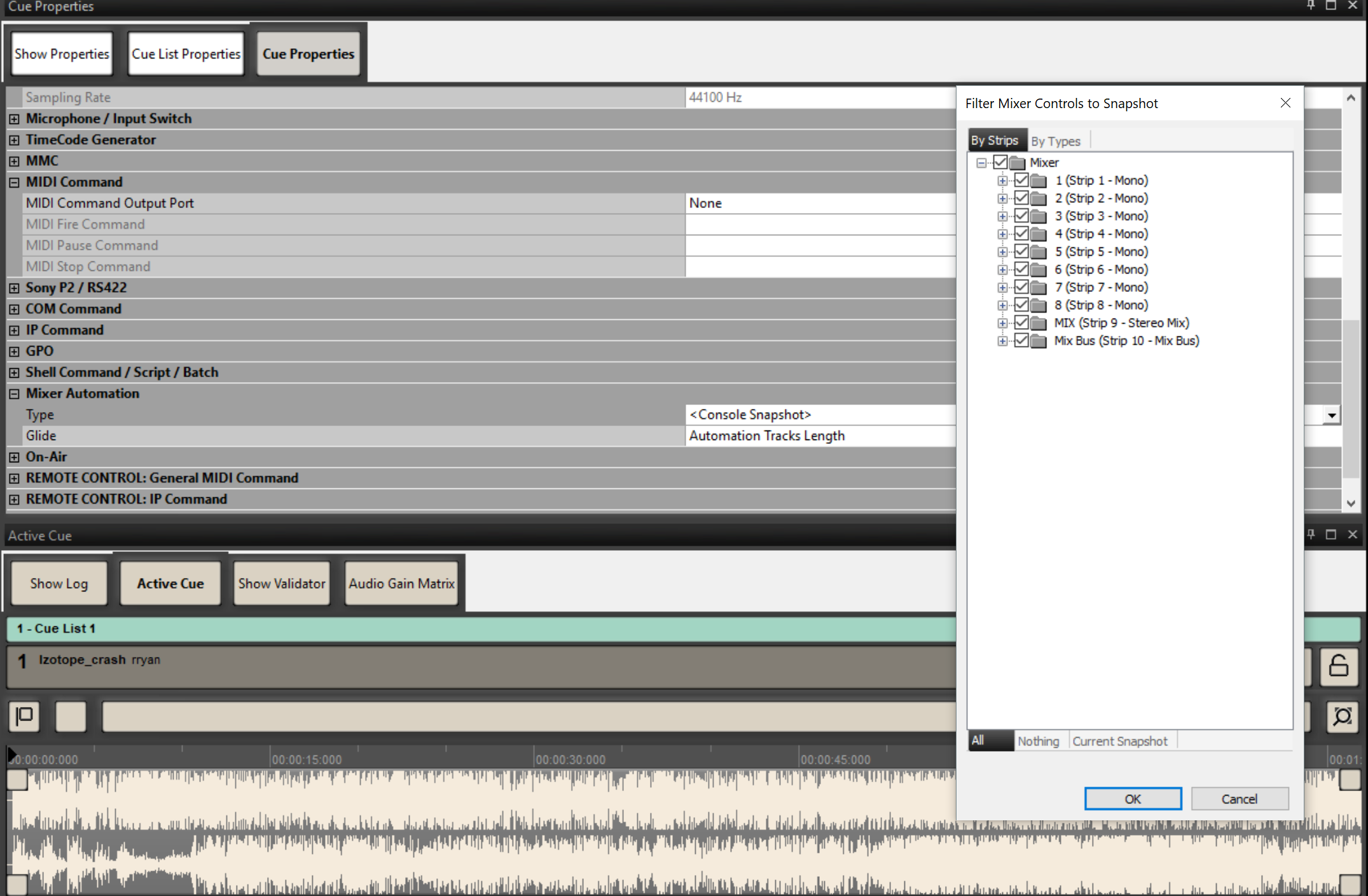
Ovation 7.1 Current Snapshot feature
Added auto-selection mode allowing users to select already automated items in a cue
UDP/IP Support
IP Communication has been extended to the User Datagram Protocol (UDP) support
Filtering General MIDI command option
A new On/Off option was added in order to control the velocity of a specific MIDI channel
Remote Controller Enhancements
Using a controller for Pyramix is an obvious way of working for some of our customers. They requested some more comprehensive and better integration, which we have implemented in Pyramix 11.1 with the following control devices:
- From SSL: Nucleus 2
- From AVID: PT Dock, S3 & S6
Please refer to our knowledge base for detailed information.
New Save Special as Ovation v7.0
Makes it possible to open an Ovation v7.1 Show from an Ovation v7.0
Ovation 7.0
audio networking milestones
3D workflows
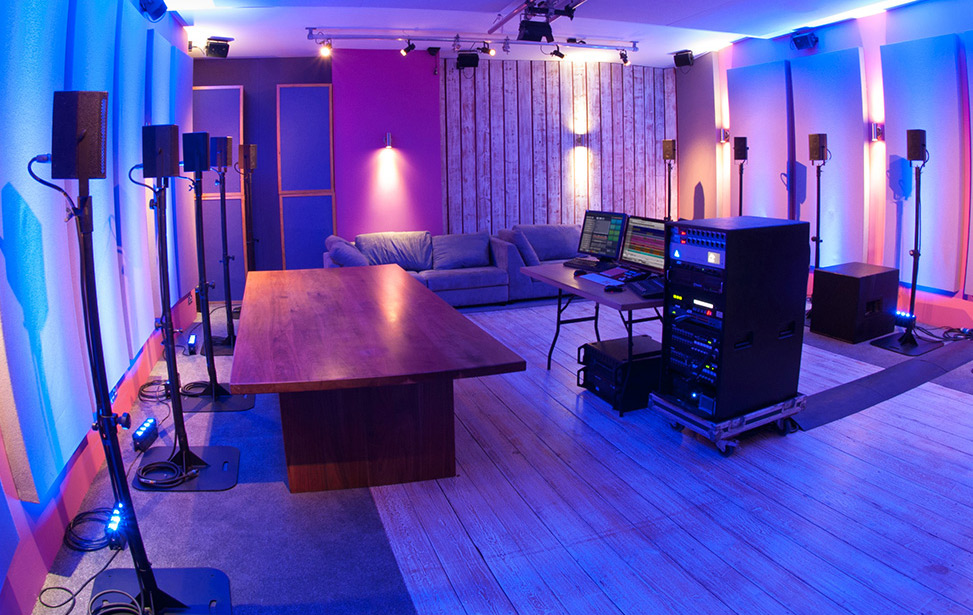
The 3D engine now in Ovation is set to completely change the way AV installers and live events production staff will plan their coming projects. Flexible, enormously powerful and incredibly affordable is a combination never seen before in 3D and immersive sound for the AV industries.
Multiple, Multi-Speaker Rooms
Whether you are running an immersive show in a single environment, or creating a central engine for multiple simultaneous experiences (as you would for a museum), Ovation 7 has you covered with custom speaker positioning and virtually unlimited bus sizes.
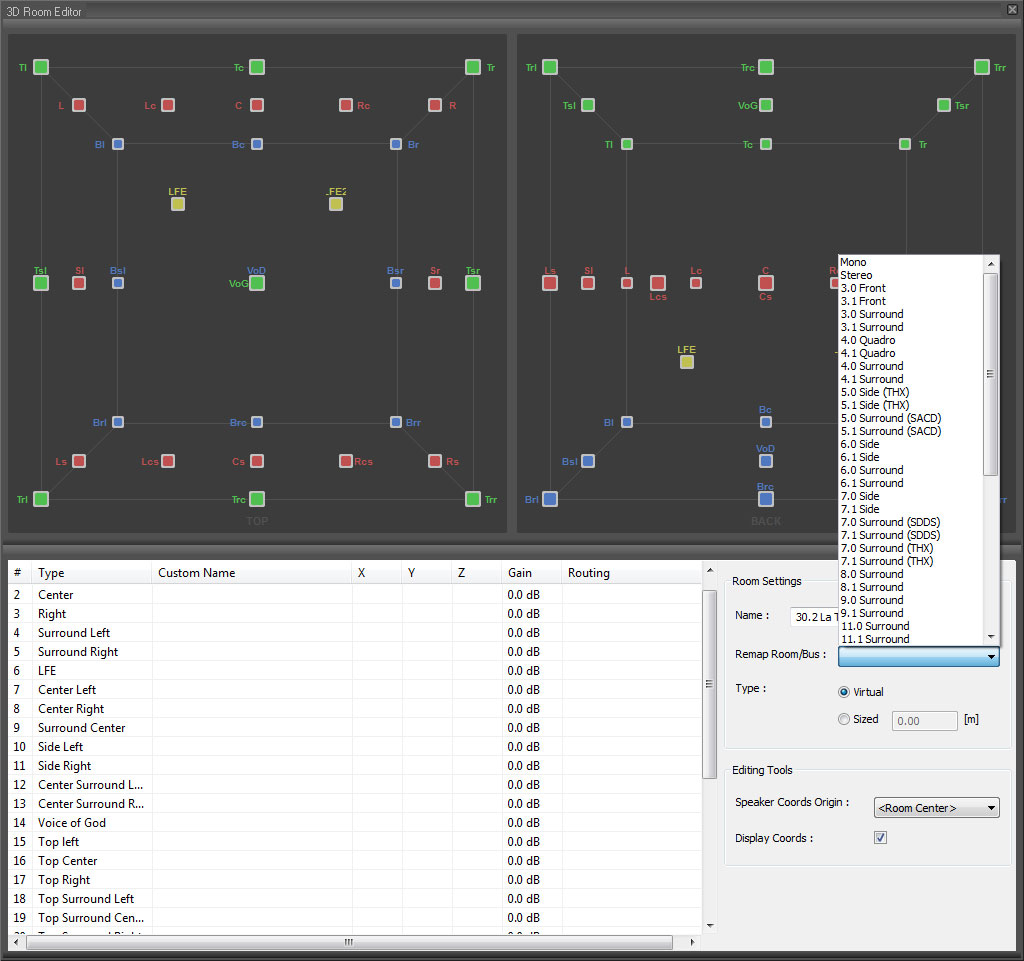
3D-Render For Playback & Live Inputs
Mix audio playback and live inputs from your environment through the same engine and effects. Using the MassCore engine embedded in Ovation means that even with all of this processing you can still expect as low as 1.3 ms latencies from live In to Out.
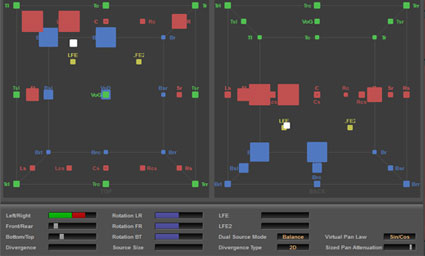
3D Panning Interface With Snapshot Automation
Control source positioning with ease in the Ovation Panning tool. Move mono or multi-channel sources through your virtual environment with simple and effective tools.
Flux Verb Session
Merging Technologies is proud to announce that the industry acclaimed Flux Plugin team have partnered to offer their new Flux Verb Session Reverb in the Gold and Platinum Ovation packs. These VS3 reverbs are the perfect match for Ovation’s new 3 dimensional capabilities.

Pyramix 3D Sound Design / Content Creation
Not only does this new engine exist in Ovation, it also exists in our award winning digital audio workstation, Pyramix. As a Pyramix licence is integrated in each and every Ovation system, you will not only have the perfect play out tool but also the most comprehensive content creation tool for immersive audio projects.

- Merging Technologies S.A.
- Route du Verney 4, 1070 Puidoux, Switzerland
- +41 (0)21 946 04 44
OEM Solutions
Support
2025 © Merging Technologies. ALL Rights Reserved.
Pyramix, MassCore, Ovation, Anubis, Hapi, Horus, ANEMAN, VCube, Audio Magic Ring are registered trademarks of Merging Technologies.
Privacy Policy
Cookie Policy
Terms and Conditions